

Creator Criteria
Creator criteria help you find creators based on who they are, where they live, and how their accounts perform. All of them live in the Creator group of the Add criteria menu.
Location
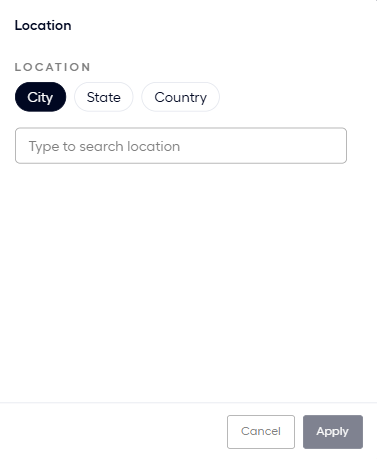
Use Location to find creators based on where they live. Choose the level, then pick the places:
- City: Opens the Type to search location box. Type a place name and select it.
- State: Opens a US States multi-select, so it covers US states only.
- Country: Opens a Countries multi-select.
Creator details
Use Creator details to find creators based on their audience size and how they work with Fohr.
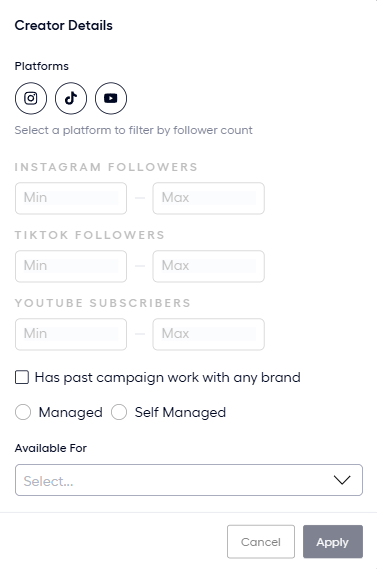
The dialog holds the following fields:
- Platforms: Select Instagram, TikTok, or YouTube to filter by size. Each platform has its own Min and Max range (INSTAGRAM FOLLOWERS, TIKTOK FOLLOWERS, or YOUTUBE SUBSCRIBERS). The ranges stay on screen and greyed out until you select the platform, which enables its range.
- Has past campaign work with any brand: A checkbox. Tick it to keep only creators who already worked on a campaign.
- Managed and Self Managed: Pick one.
- Available For: Choose what the creator is available for, such as Sponsored Content.
Creator Demographics
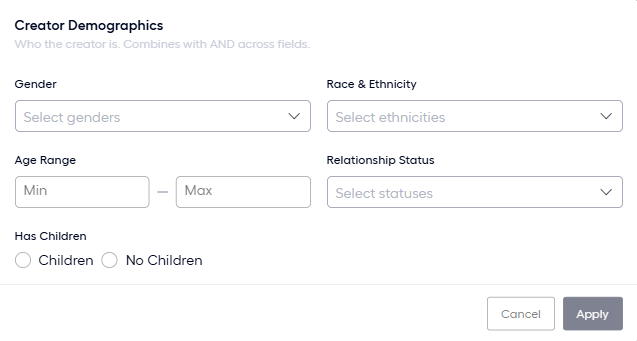
Use Creator Demographics to find creators based on who they are. The dialog says Combines with AND across fields, so a creator has to match every field you fill. The fields are Gender, Race & Ethnicity, Age Range, Relationship Status, and Has Children (choose Children or No Children).
Audience Demographics
Use Audience Demographics to find creators based on who follows them, as a share of their audience on one platform.
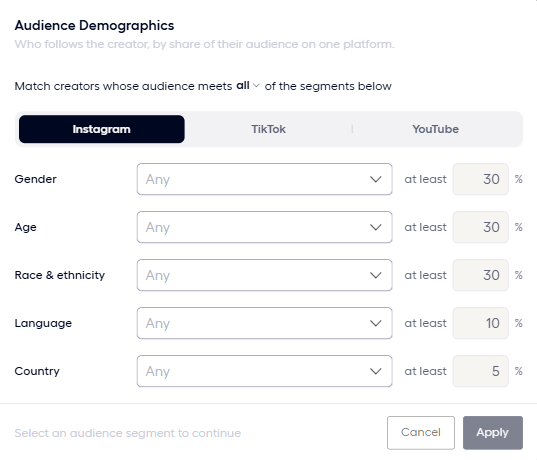
The selector reads Match creators whose audience meets all of the segments below. Switch all to change how the segments combine:
- Any: The audience meets at least one segment.
- All: The audience meets every segment.
- None: The audience meets no segment.
Choose Instagram, TikTok, or YouTube, then set the segments you want: Gender, Age, Race & ethnicity, Language, and Country. For each one, pick a value and set an at least percentage. The starting percentages are 30 for Gender, Age, and Race & ethnicity, 10 for Language, and 5 for Country.
Performance
Use Performance to find creators based on how their content performs. Choose Instagram, TikTok, or YouTube, then set a Min and Max for each measure you want.
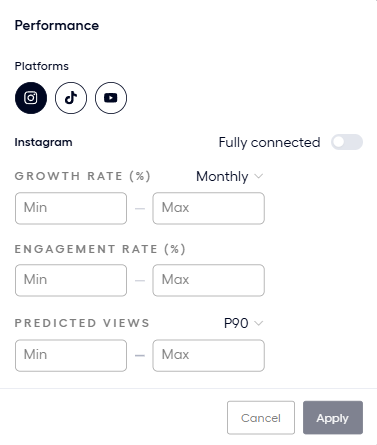
The dialog offers the following measures.
| Measure | Description |
|---|---|
| GROWTH RATE (%) | A range, with a period selector that starts on Monthly. |
| ENGAGEMENT RATE (%) | A range. |
| PREDICTED VIEWSFohr's forecast of the views a creator's posts will get. | A range, with a baselineThe percent chance Fohr gives of reaching at least the projected views. P90 is the cautious reading and P50 is the expected one. selector that starts on P90The cautious views estimate. Fohr gives a 90% chance of reaching at least this many views.. |
Life event
Use Life event to find creators who announced a life event. The dialog says Detected from creator posts, so this is what they announced publicly. Tick the events you want, then choose ANNOUNCED WITHIN.
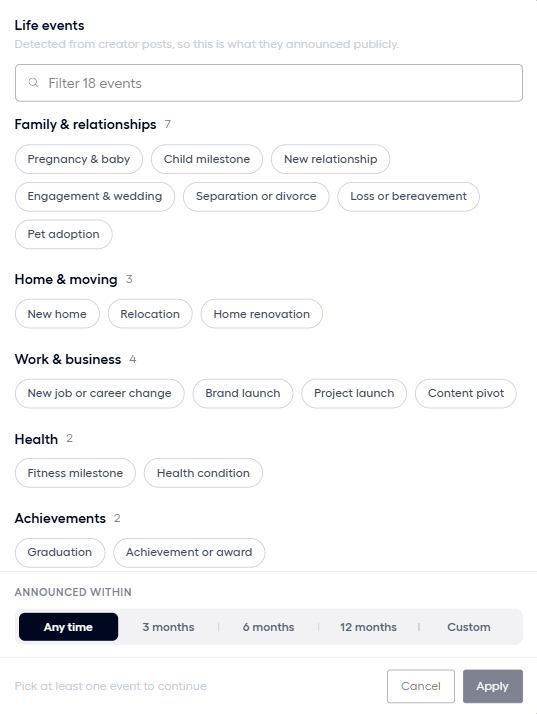
ANNOUNCED WITHIN offers Any time, 3 months, 6 months, 12 months, and Custom.
Profession
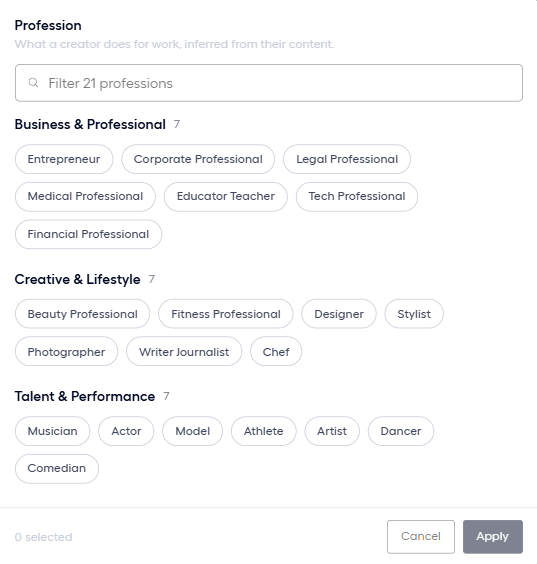
Use Profession to find creators based on what they do for work, inferred from their content. A search box filters the professions, and a counter shows how many you ticked.
Related articles
Pool Criteria
The Add criteria menu and the groups of criteria.
Build a Pool
Create a pool, add criteria, and choose how each criterion matches.