
Social Connections
The Social Connections tab in Settings shows the status of each platform you can connect to Fohr.
Connection status
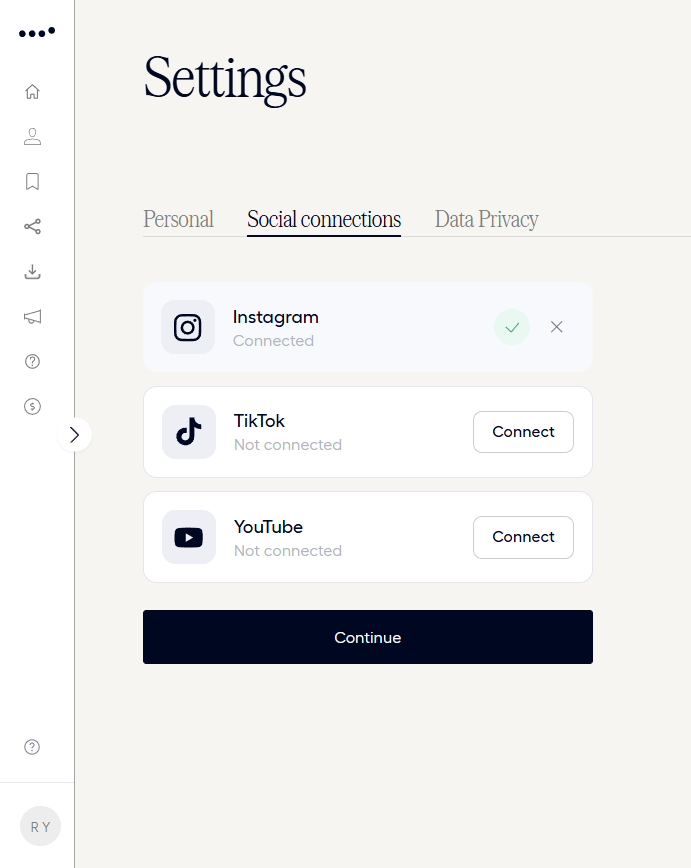
Instagram, TikTok, and YouTube each show a Connected or Not connected status. The control next to a platform depends on that status:
- Connected platforms show a check mark and a control to disconnect.
- Not connected platforms show a Connect button.
This is a status view. To connect a platform for the first time, and to see what each platform requires before it will connect, read Connect Your Social Accounts.
Related articles
Settings
Manage your personal info, email preferences, and connected social accounts.
Personal
Edit your name, demographics, and address, and manage your email preferences.
Data Privacy
See Fohr’s privacy policy for your account, and request a full record of everything you’ve created.
Connect Your Social Accounts
Connect Instagram, TikTok, or YouTube to your Fohr profile, and know what to do if a connection breaks.
Creator › Docs › Manage Your Account › Settings