

Your Press Kit
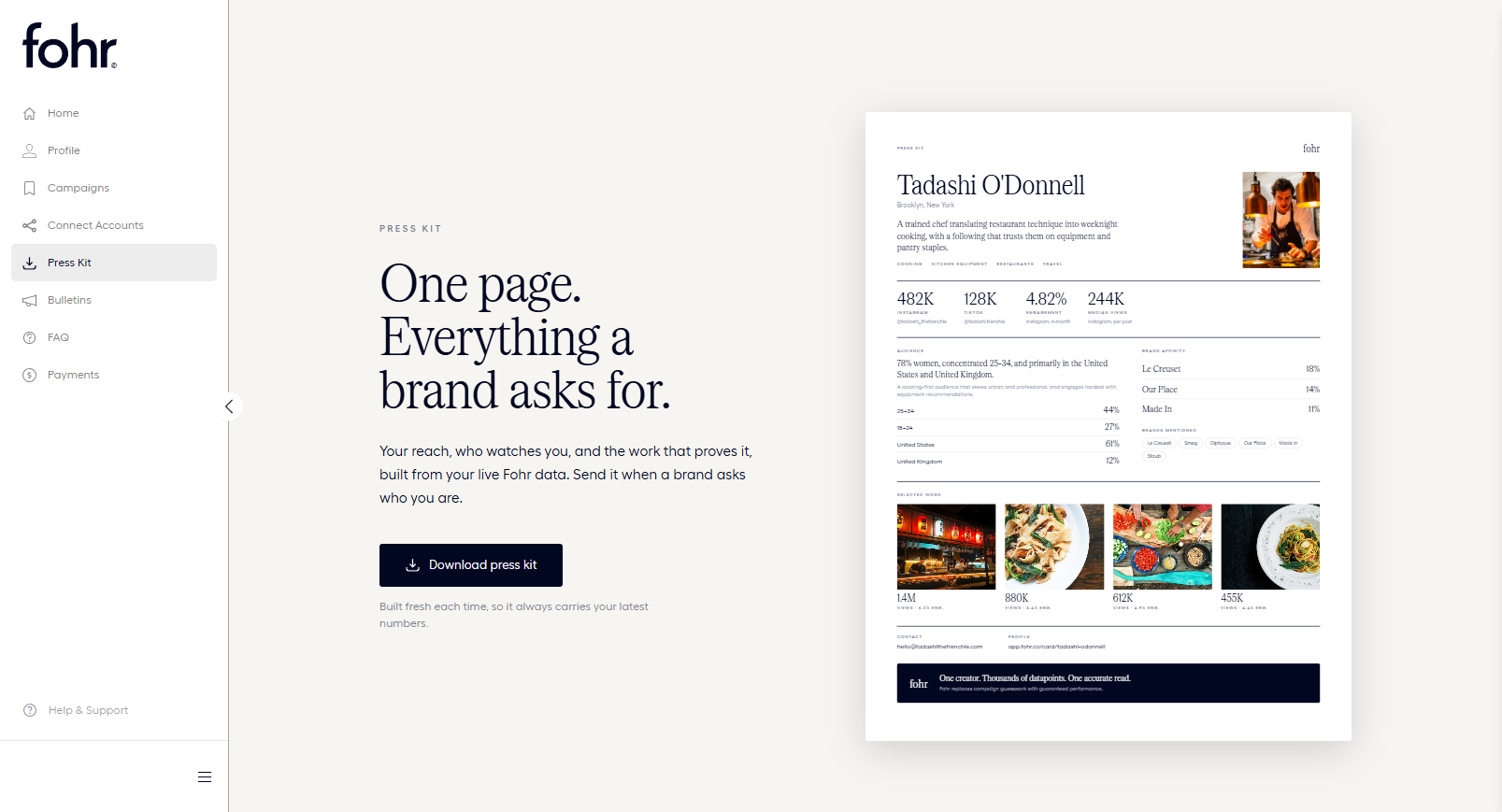
The Press Kit turns your live Fohr data into a concise, one-page PDF summary. Send it to brands, agencies, or prospective partners whenever they request your current metrics or media kit.
Before you start
- Connect social accounts: Connect at least one platform (Instagram, TikTok, or YouTube) so your press kit has performance data to display.
- Navigation: Select Press Kit in the creator navigation sidebar (located between Connect Accounts and Bulletins).
Download your press kit
- Navigate to Press Kit in the left sidebar.
- Select Download press kit.
- A personalized PDF (formatted as
your-name-press-kit-<timestamp>.pdf) will generate and download to your device.
On-page preview vs. downloaded file: The visual preview on the page shows sample creator data to demonstrate the layout. Your actual numbers, audience breakdown, and profile details are dynamically pulled into the generated file when you click Download press kit.
What’s included in your press kit
Your generated press kit pulls live data directly from your Fohr profile:
- Creator profile: Your name, location, bio, and content categories.
- Platform stats: Followers, engagement rate, and median views, one block per connected platform. Connect more platforms and each one gets its own block, rather than a single combined number.
- Audience: A one-line summary of your audience (gender, age, and top locations), plus your top two age groups and top two countries.
- Brand affinity: The brands your audience already engages with, and any brands mentioned directly in your content.
- Selected work: A handful of recent posts, each with its view count and engagement rate.
- Contact and profile link: Your email address and a link to your Fohr profile.